Notifications
Push notifications and the live score on your lock screen — what arrives, when, and how to turn it off.
SportsFlow sends push notifications through the app — for match prep, before throw-off, at half-time and full-time. During the match the score sits live on your lock screen. Push works on every plan.
What arrives when?
You switch categories on or off. Everything is on by default.
| Category | When | Who gets it |
|---|---|---|
| Match prep shared | When your coaching staff shares a preparation for the first time | Whole team |
| Match reminder | Two hours before throw-off | Whole team |
| Half-time and full-time | Half-time: the score. Full-time: the result with your personal shooting record | Half-time: coaching staff (Coach area permission). Full-time: whole team |
| Tracking reminder | 15 minutes before throw-off — and when a match still hasn't been tracked about an hour after it ended | Only people with the Tracking permission |
| Videos | When your uploaded video has finished processing | Whoever uploaded it |
| Live score | Score and clock on your lock screen as soon as the match is on | Whole team |
Whoever triggers something doesn't get a push about it — whoever's tracking already sees the score.
Where to set it
Profile → Notifications — in the app and on the web.
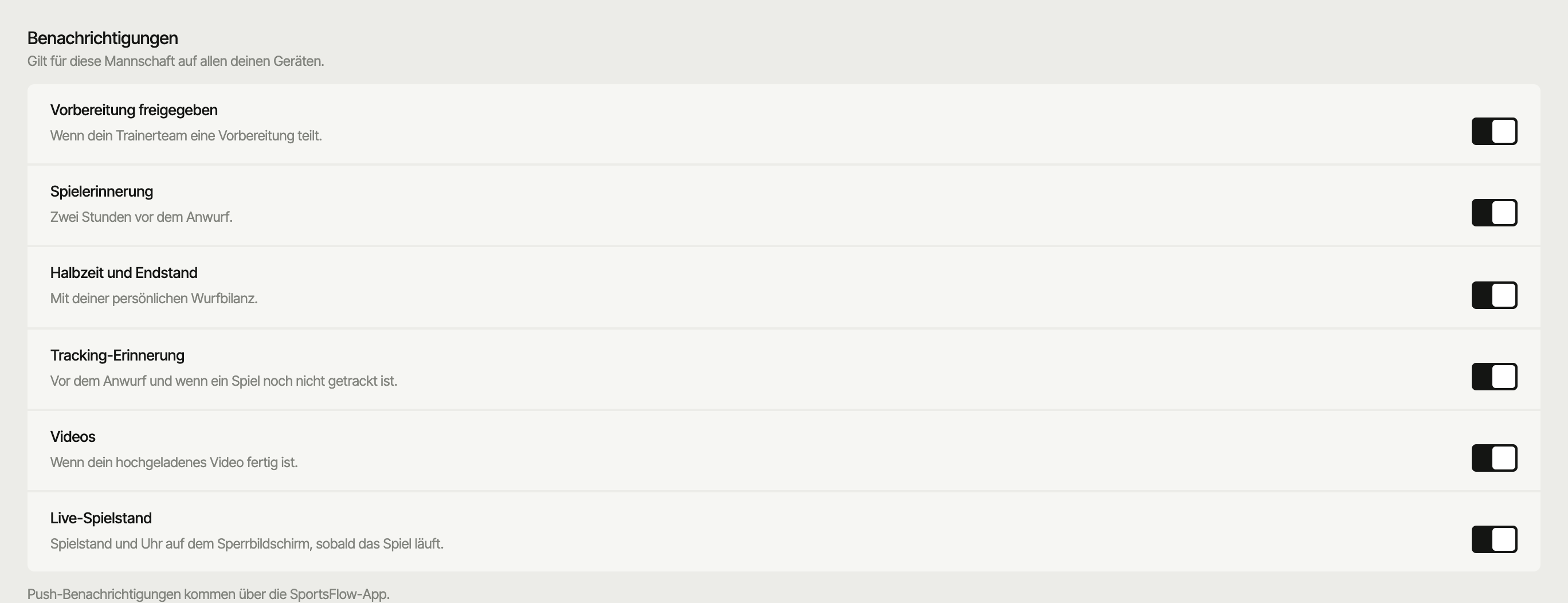
- The settings apply per team on all your devices. If you're in several teams, you set each one separately (switch team, then profile).
- You only see Tracking reminder if you have the Tracking permission.
- If it says Push is off on this device, tap Turn on or Allow in settings.
- On the web you only switch categories — the notifications themselves come through the app.
On the app's home screen the card Never miss a thing shows up for this — Allow notifications gets you in, Later hides it.
Live score on your lock screen
As soon as the match clock runs for the first time, the score appears live on your lock screen: score, clock, half and the latest event.
| Device | What it looks like | Requirement |
|---|---|---|
| iPhone | Live Activity on the lock screen (and in the Dynamic Island) | iOS 16.2 or later. Starts automatically at throw-off from iOS 17.2, before that via Follow live |
| Android | An ongoing notification that keeps updating | Notifications allowed |
During the match, the match page shows the live card with score and clock at the top. In the app, below it, there's Follow live or Stop following — that puts the live score for this one match on your device or takes it off again. To turn it off completely: switch off the Live score category.
Tracking afterwards stays quiet
If you track a match whose throw-off was more than 12 hours ago, no throw-off, half-time or full-time pushes go out — not to subscribed fans either.
For fans and parents
People without an account follow the match through the public link: a live ticker in the browser and, if they like, web push at throw-off, half-time and full-time. That comes with the Team plan.
Next
- Install the app — App Store, Google Play, signing in
- Sharing & export — public link with live ticker
- Pair a match — goals conceded arrive automatically from your opponent