Matches
Create matches, pick today's roster and start tracking.
Everything around your matches.
Create a match
Matches → New match
| Field | Details |
|---|---|
| Opponent | Selector with suggestions from your known opponent teams — just type a new name |
| Type | League · Friendly · Training |
| Date & time | For your own overview |
| Home/away | Display only — the score is always from your point of view |
| Season | Required — no season, no matches |
| Venue | Optional |
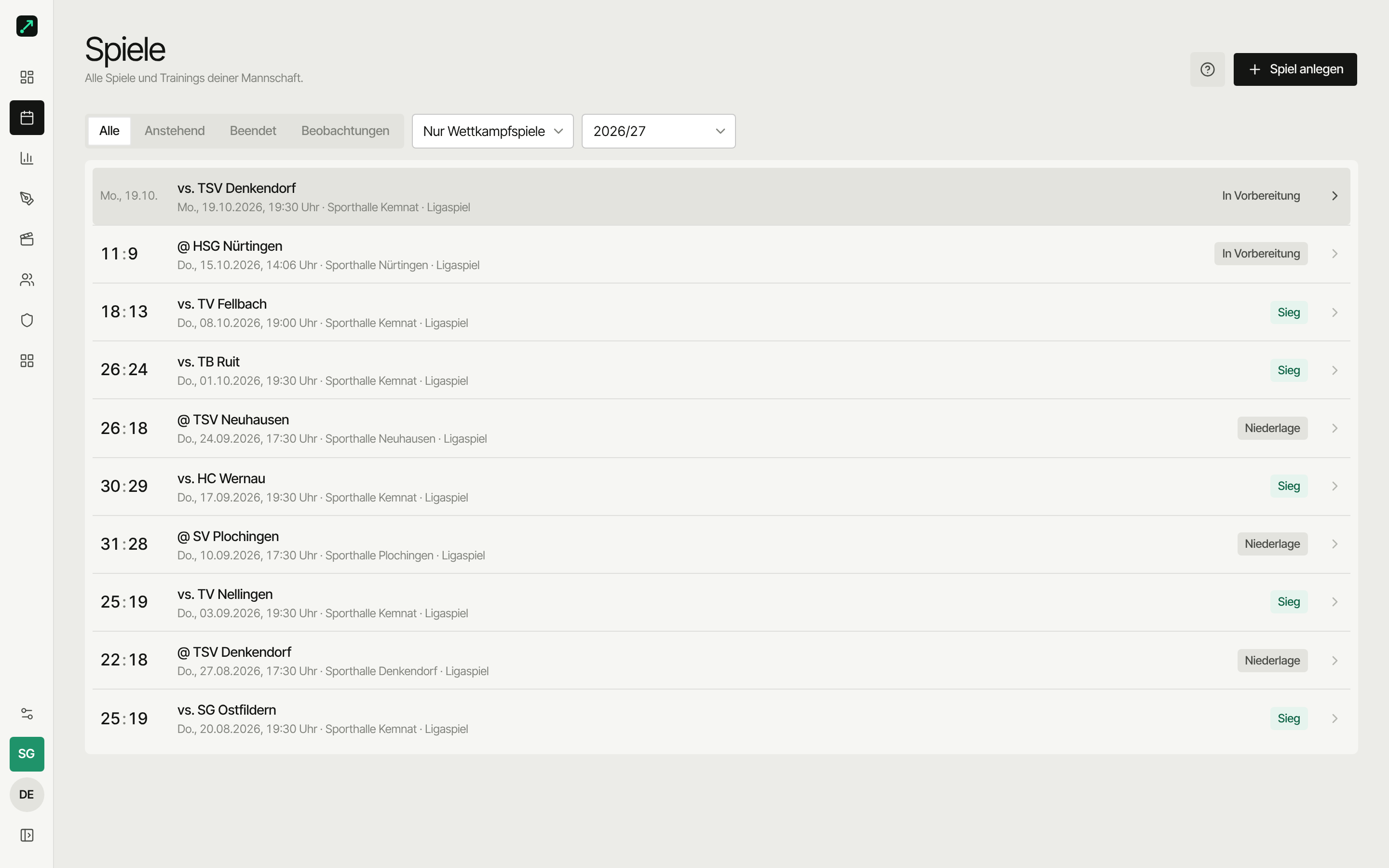
Status in the match list
Every match carries exactly one status chip: played matches Win, Loss or Draw (still running: Live), upcoming ones In preparation (coaches only, while the preparation is a draft) or Preparation ready once it's shared. If the match has a video, the badge Video joins them.
Who's playing today?
On the match you set who's on the roster — a subset of your full roster.
Players who aren't around today won't show up while tracking.
Videos
A match has no video or exactly one; there are no multiple videos or camera angles. The match Overview has the video card: Open lets you pick Watch, Studio, Sync or Track; without a video it shows Add video. In the match header, Video available tells you there's a video. Once the video is synced, every tracked action jumps to the right spot with one click from its event detail ("Watch in video"). You cut scenes for the preparation in the video studio. All of your team's videos are collected under Videos.
Video analysis is part of the Pro plan; saving video links works on every plan.
Match page
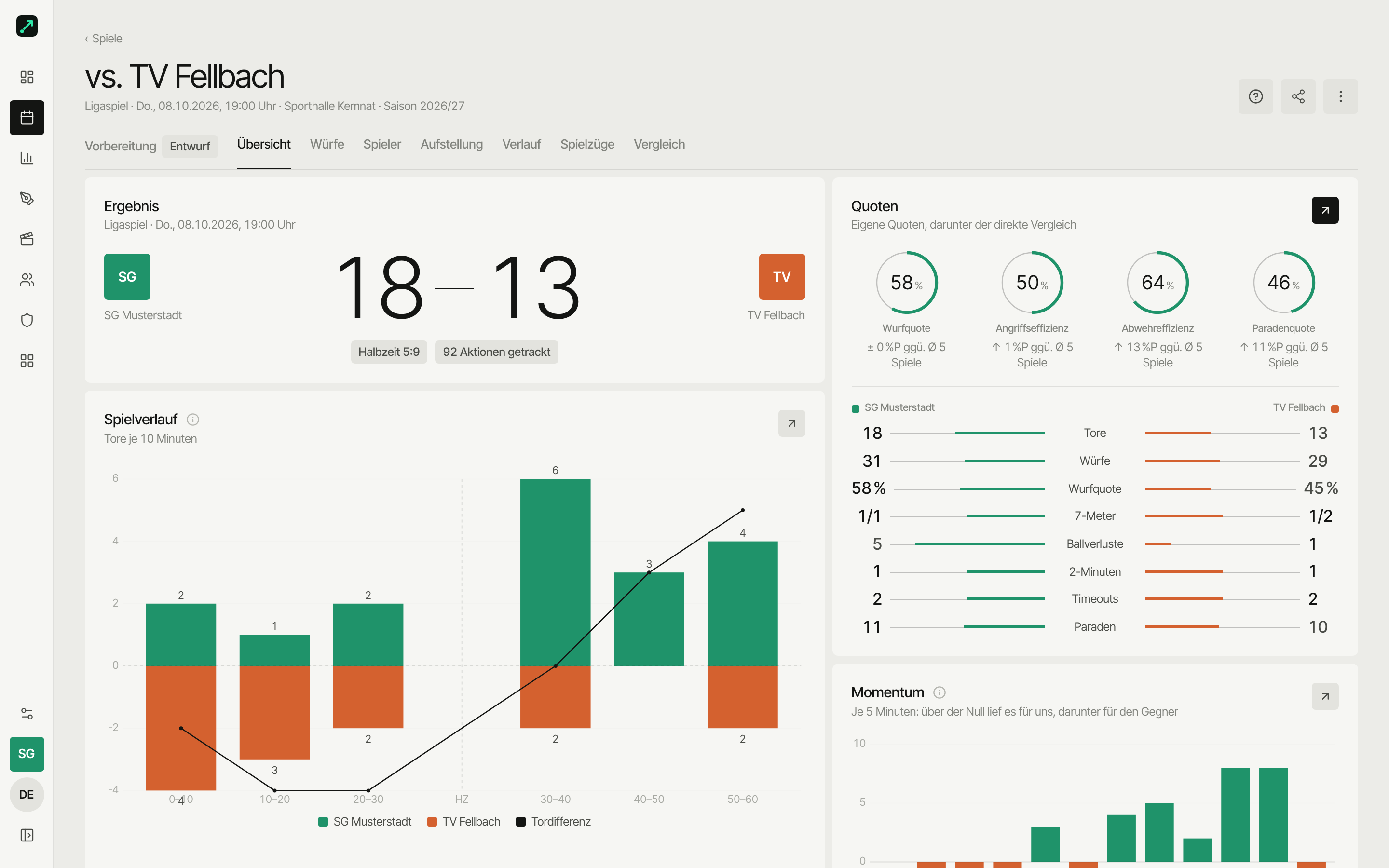
In the page header you find:
- Continue tracking (or Start tracking) while the match is still running
- The Export menu
- Share
- ⋯ with Reconciliation (handball.net match report, only for linked matches), Pair with opponent (if your opponent uses SportsFlow too, see Pair a match) and other actions
Below that you see:
- Score & status
- Every entry after the match
- Today's roster
Track afterwards
Once a tracked match has ended, Start tracking disappears. Instead you open tracking via the ⋯ menu on the match page → Track afterwards — the same on web and app. Everything works like in live tracking, e.g. to add plays or forgotten actions later. Handy alongside that: the adjustable speed of the match clock.
Observations
Observations — scouting a match between two opponent teams — don't sit between your matches and never count toward your own match stats. With the Scouting permission you find them via the Observations filter. You create them from the preparation of your own match against that opponent, or from the opponent page, Shooter profiles tab.
Filter the overview
At the top of the list, pick a quick filter: All · Upcoming · Finished (for coaches), plus For you for players (shows only matches with a preparation folder shared with them). With the Scouting permission, Observations joins them. Plus the season filter and the match type: the default is the current season, friendlies count until the first played competitive match, then competitive matches only (see season analysis). Upcoming friendlies stay visible anyway, so you can prepare and track them. On the free plan, analysis is only unlocked for your latest match — older matches stay visible, just without analysis.
Delete
Coaches only — entries for the match go with it. Be careful with test matches.