Sharing & export
PDF reports, story images, public links and CSV — how to get your numbers out of SportsFlow.
Four ways numbers leave SportsFlow:
| Way | What for | Where |
|---|---|---|
| Report as PDF | Print it, pin it up in the locker room, send it by email | Match, season analysis, opponent shooter profiles |
| Share as story | Instagram story after the match | Match, app only |
| Public link | Show a match's analysis without login, live with a ticker | Match |
| CSV | Keep crunching in Excel, Power BI & co. | Match, season analysis |
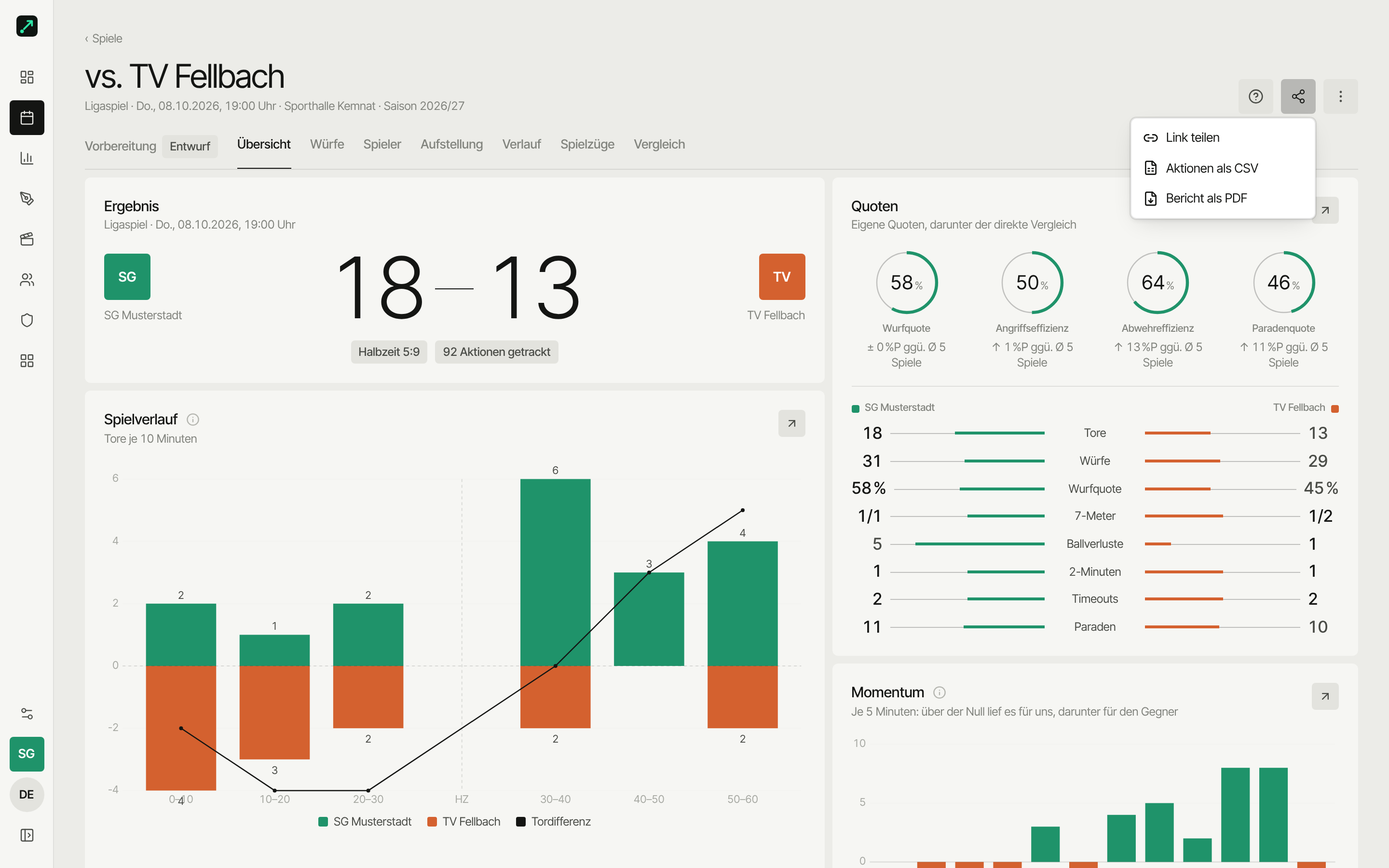
Share and export menu
On the match page there's Share at the top right (share icon); in the season analysis it's Export (download icon).
| Page | Entries |
|---|---|
| Match → Share | Share link (coaches only) · Actions as CSV · Report as PDF |
| Season analysis → Export | All matches as CSV (ZIP) · Report as PDF |
CSV and PDF are part of the Team plan. Without it, coaches see the entries with a lock — one click takes you to Settings → Subscription. Players don't see them then. CSV and PDF only appear once the match has actions.
In the app (iOS/Android) you get PDF and story, but no CSV.
PDF reports
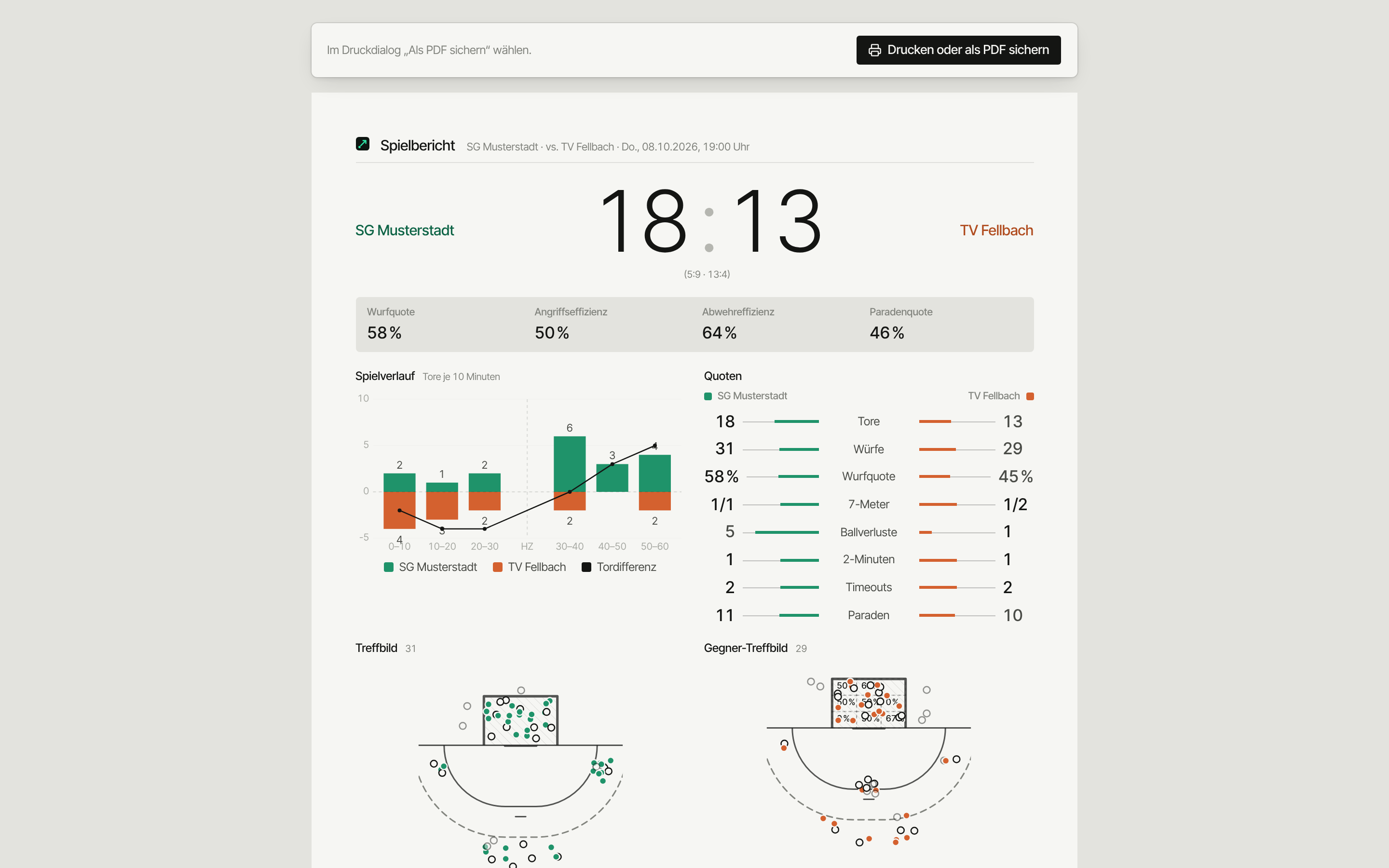
A click on Report as PDF opens the report in portrait (A4, always light) and straight away the print dialog. Pick Save as PDF there or print it right away.
- Match report (2 pages): result, rates, match flow, goals per 10 minutes, shots and the players of the match.
- Season report (2–3 pages): results, form curve, shooting and save rate, goals conceded, players. The filters you've currently set in the analysis apply (season, match type, matches).
- Opponent shooter profiles: on the opponent under Profiles (and in the preparation). One "All shooters" sheet plus one page per shooter with room for the coach note. Every role can print profiles — players preparing for the opponent too. More: Opponents.
In the app the report opens in the device's browser — you're signed in automatically there, just share or print.
Share as story (app)
For Instagram & co.: an image in story format (1080 × 1920). You make the story in the app — that's where your match photo is, and Instagram is one tap away.
- Match page in the app → Share → Share as story
- Pick Match or Player (then choose the player)
- Pick a design, e.g. Match flow, Goal map, Result card or Result only — as a transparent sticker over your own photo
- Instagram Story or share to another app
Stories exist per match — there's no season story. They work on every plan.
Public link
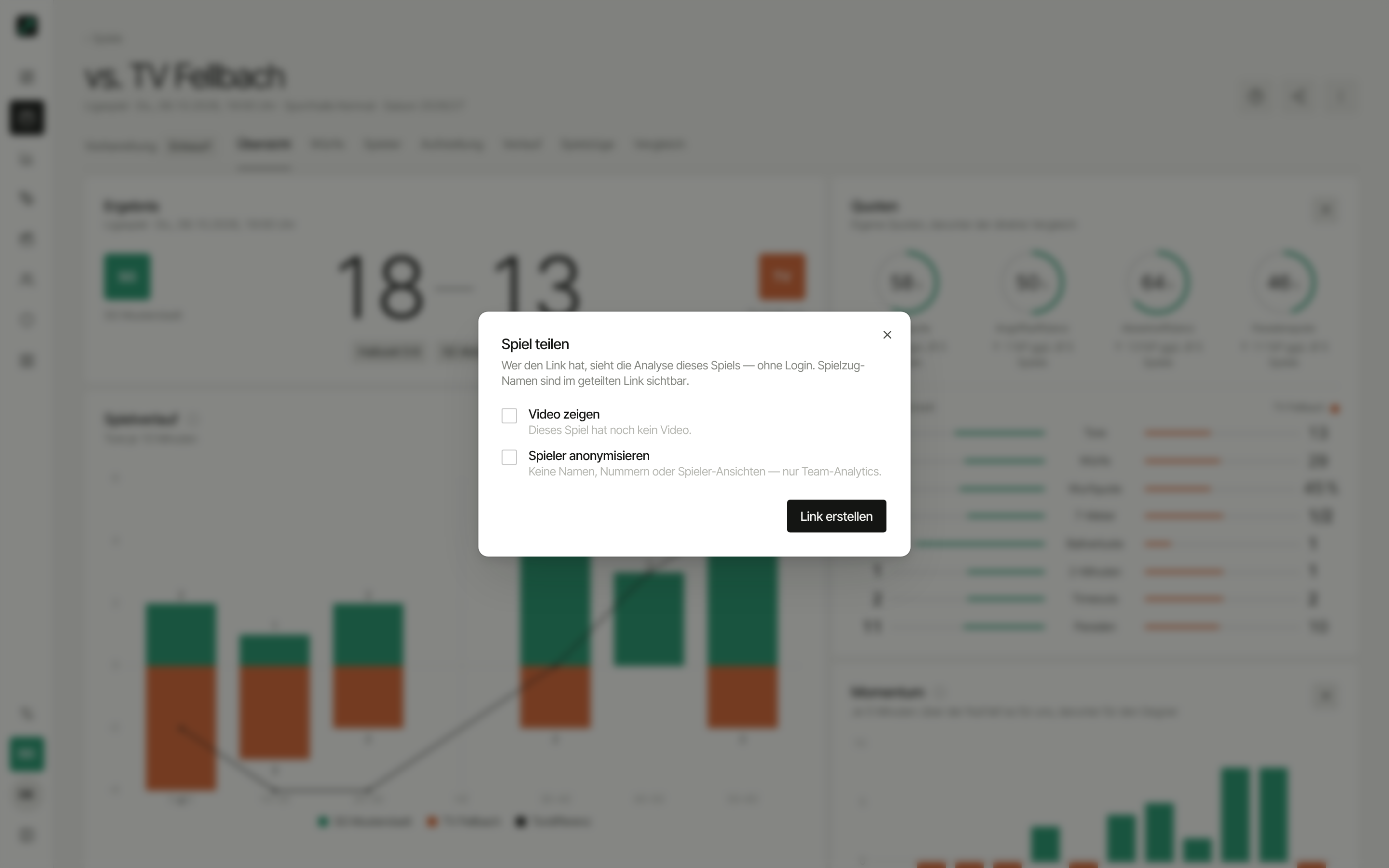
With the link anyone sees a match's analysis — no account, no login. Good for parents, the club website or the assistant coach without access.
- Match page → Share → Share link (coaches only)
- Optional: Anonymise players — no names, numbers or player views, team analysis only
- Optional: Show video — the match video can be played in the link
- Create link → Copy link
If the SportsFlow app is installed (version 1.0.4 or later), the link opens right in the app — no login, read-only. The same goes for shared plays.
Play names are visible in the shared link. Your opponent notes and shooter profiles never are.
Live ticker & notifications
While the match is on, the link shows a live ticker with score and events. Visitors can subscribe to browser notifications there without an account — for throw-off, half-time and full-time. With Anonymise players the ticker shows no names either. Create new link or Stop sharing removes all subscriptions.
Later in the same dialog: Create new link (the old one stops working) or Stop sharing (link invalid immediately).
Public links come with the Team plan.
CSV export
- Actions as CSV (match): one row per action — time, action, team, player with number, position, success, assist, shot type, trajectory, situation. Nicely formatted, opens straight in Excel.
- All matches as CSV (ZIP) (season analysis): one CSV per match, using your current filters.
Ideas for what to do with it: CSV export in handball and Power BI.