Pair a match
Does your opponent use SportsFlow too? Then each team only tracks its own shots — the goals you concede arrive automatically.
When two SportsFlow teams play each other, you pair your two matches. From then on each side only tracks its own shots. Every shot of yours automatically lands as an opponent shot in the other side's match — with shot position, goal corner, shot type and the shooter's jersey number. Nobody on your side has to enter goals conceded anymore.
What gets sent
| What | Details |
|---|---|
| Shots and 7m | Every outcome: goal, saved, wide, blocked — your save rate needs the saves |
| Shot details | Match time, shot position, goal corner, shot type, trajectory, situation |
| Shooter | Jersey number, lands in your opponent roster; the name only if the other side ticks Send player names |
| Your goalkeeper | Filled in automatically when it's clear who was in goal — otherwise you pick them via Assign goalkeeper |
Everything else — turnovers, penalties, plays, notes, shooter profiles — stays with the team that recorded it. Only shots tracked from the sideline get sent, no imported ones and none that came from the opponent in the first place.
How to pair
One side shows the code, the other accepts it. It doesn't matter who starts.
Show the code
- Match page → ⋯ → Pair with opponent
- Optionally tick Send player names — otherwise your opponent only sees jersey numbers
- Create code — SportsFlow shows a QR code and a 6-character code, e.g.
K7P-3QX
The code is valid for 30 minutes and works once. Expired? New code.
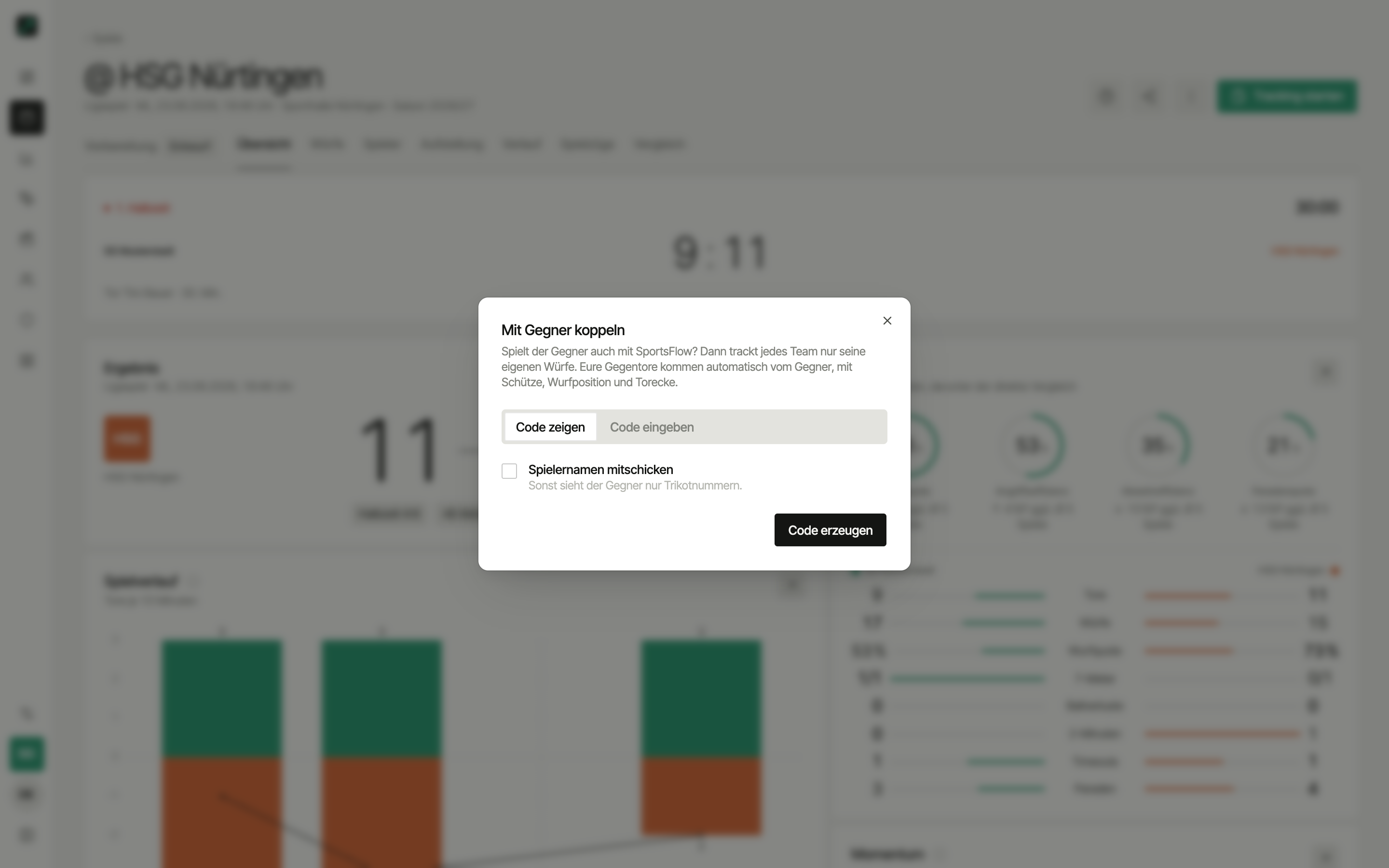
Accept the code
The other side has three ways:
- Scan the QR code with the phone camera — opens the pairing in the app (if installed) or in the browser
- In the app, in your own match → Pair with opponent → Enter code → Scan
- Type the code: in your own match → Pair with opponent → Enter code
Via the QR code you then choose under Your match which of your matches gets paired — SportsFlow suggests matches around the throw-off — or Create new match (SportsFlow fills in opponent, date and home/away to match). Optionally Send player names, then Pair.
After pairing, SportsFlow catches up on every shot both sides have already tracked. So you can also pair mid-match or afterwards.
Wrong team?
Pairing always happens for the team you're currently in. If it's your own team's code, SportsFlow tells you — switch to the team that should pair.
During the match
- Tracking shows "Opponent shots come from …" at the top. The opponent shot and opponent 7m tiles disappear, so nobody records the same goal twice.
- Received shots carry the from opponent badge in the history and count toward score and analysis as usual.
- They're read-only on your side — if the other side corrects a shot, SportsFlow updates your score. The only thing you can change is your own goalkeeper (Assign goalkeeper).
- Without a connection you keep tracking as usual. Shots are sent once your entries are uploaded — see Without internet.
Managing the pairing
Once the match is paired, ⋯ → Pair with opponent shows "Paired with …" and whether your opponent sends names or only jersey numbers.
- Send player names — switch on or off anytime, applies to newly sent shots
- Sync again — catches up on missing shots if something got stuck along the way
- Unpair — either side can end it. Shots already sent stay; new ones don't arrive on either side anymore
Who can pair?
Anyone with the Admin or Tracking permission — see Permissions. Pairing works on every plan, including the free one.
These can't be paired:
- Observations — there's no team of yours in them
- A match that's already paired — each match has exactly one pairing
- The public demo team
Next
- Live tracking — the tracking flow
- Opponents — where your opponent's jersey numbers land
- Notifications — live score on your lock screen