Quick analysis
Numbers already during the match — on tablet, phone, or in the split view with video.
SportsFlow doesn't wait until the final whistle. Already during tracking — even offline — the quick analysis shows you how the match is going.
Where it sits
- Wide screen (desktop/large tablet): a fixed column to the right of the actions, running live.
- Tablet: its own Analysis view next to Capture.
- Phone: its own Analysis view next to Capture and History.
Pausing the match clock (timeout, interruption) or calling half-time opens the Overview topic automatically — on tablet and phone the view switches to "Analysis" along with it. Once the clock runs again, it switches back to "Capture".
The topics
A row of chips at the top picks the topic:
-
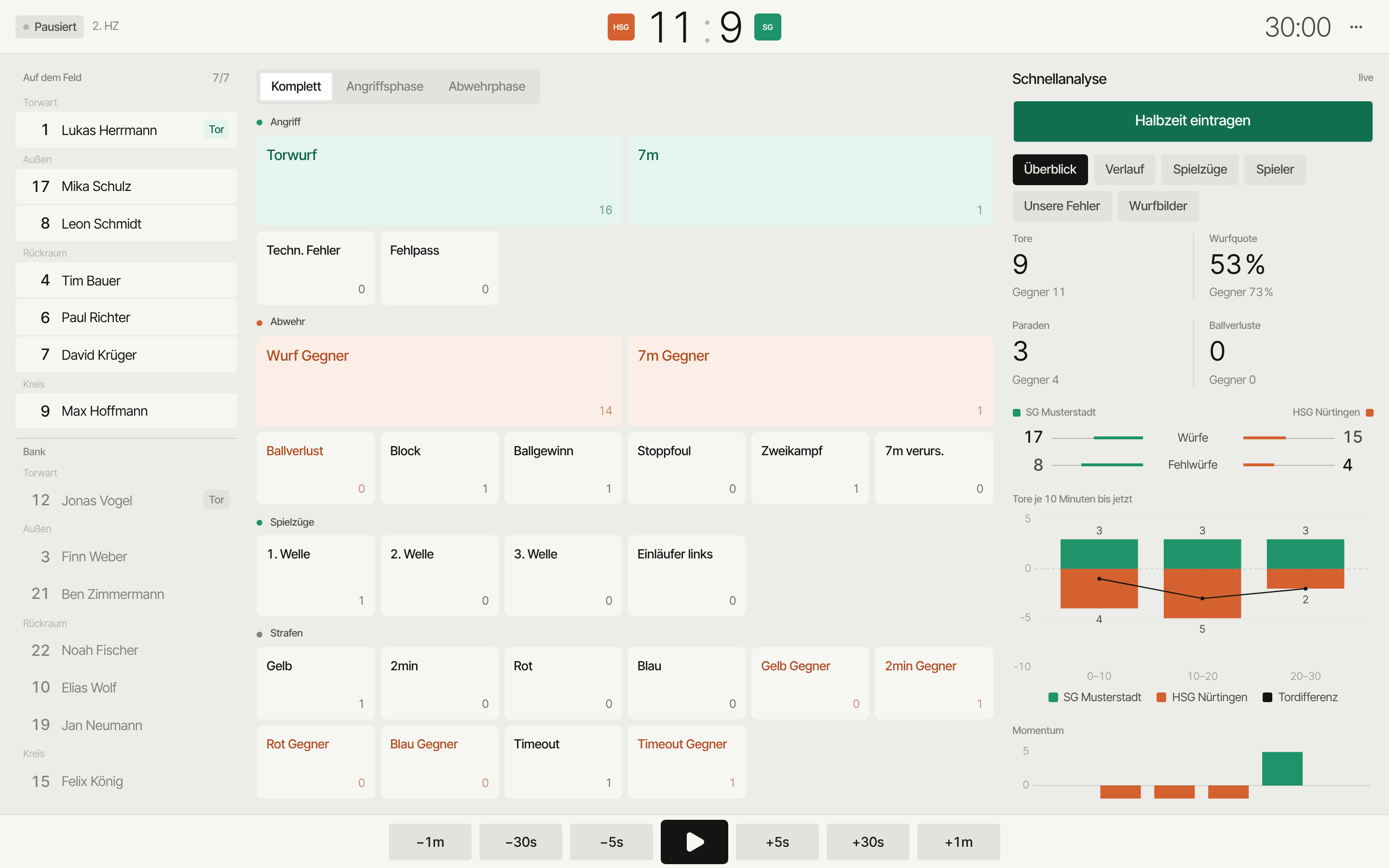
Overview — a KPI row (goals, shot rate, saves, turnovers), each with the opponent's value as context, plus a shots/misses comparison and a chart of the goal difference up to the current match time. Plus the momentum per 5 minutes and where it stands right now, e.g. "Now +4 · with us".
-
Set plays — goals and rate per wave (1st, 2nd, 3rd) and per own play; if opponent plays are recorded, they show in orange alongside.
-
Players — the whole matchday roster in two tables: field players (goals/shots, rate, assists, turnovers, +/−, impact) and goalkeepers (impact, goals conceded, saved, wide, save rate). Whoever's currently on court is listed first; rows with no action are dimmed.
-
Our errors — only your own turnovers (technical faults, bad passes), per player and in total — no opponent comparison, no missed shots.
-
Shot charts — a toggle for Opponent · Our:
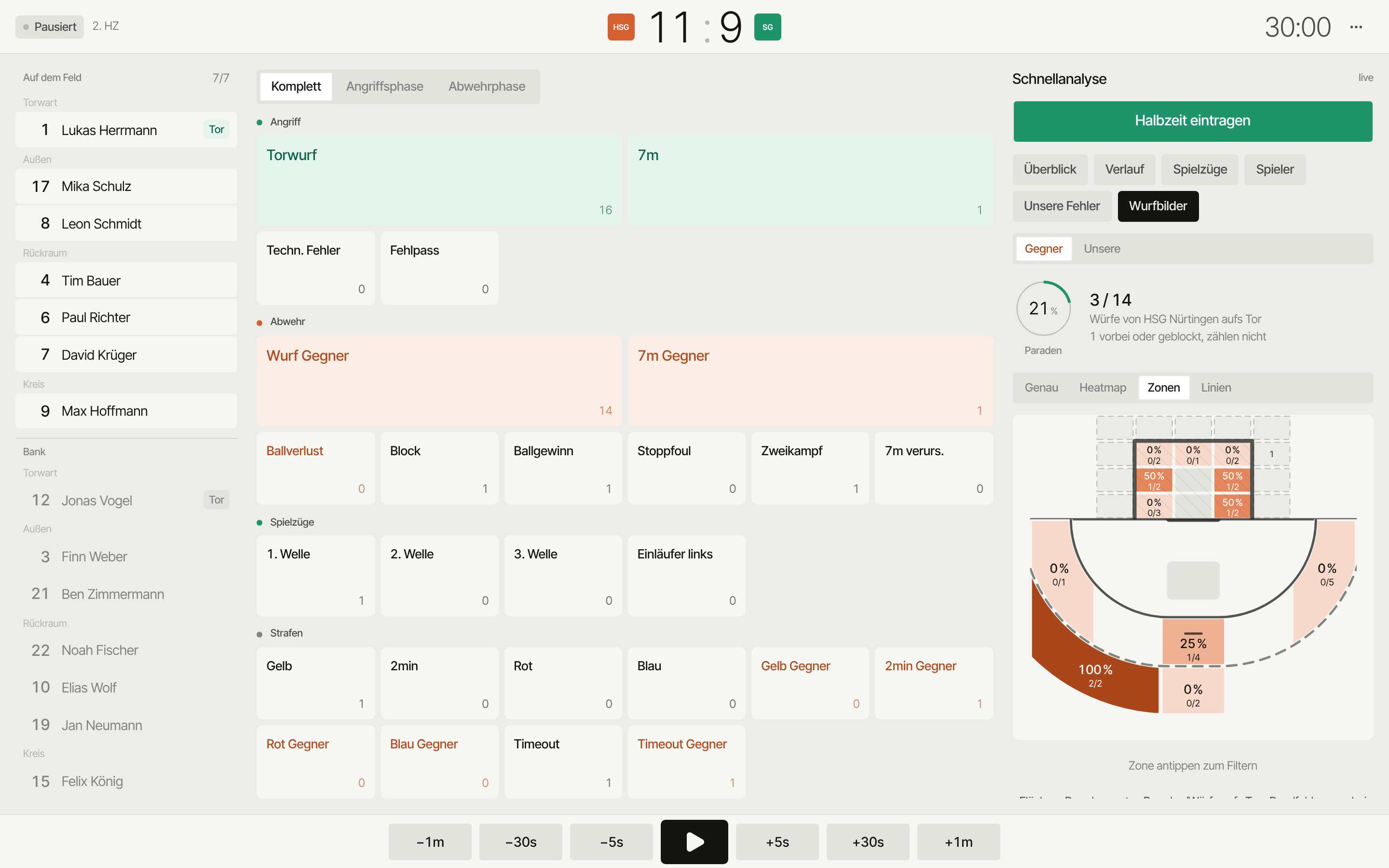
- Opponent (default) is the goalkeeper view: save rate as a ring, only shots on goal count — "3 wide or blocked, don't count". With several goalkeepers, chips filter.
- Our shows your shot rate as a ring, shooter's view.
Both come with all four shot-chart modes (as on the match page) and zone filtering.
On wide screens and tablet there's also a sixth topic, History — every entry, chronologically. On phone history is its own tab next to "Capture" and "Analysis" instead.
Colors & shape
Your team is always green, the opponent orange. A shot's outcome shows through shape, not color: filled = goal, outline = saved, faint = wide or blocked.
Score
Goals count automatically for your team and the opponent — from your perspective, whether home or away. Undo works in history or in an event's detail view; it corrects the score too.
Quick analysis runs locally on the device — no internet needed. After the match SportsFlow syncs and you get the full match analysis.