Compare players
Two to six players side by side — radar, trends, shot charts.
The Compare tab puts several players head to head — for one match or a whole season.
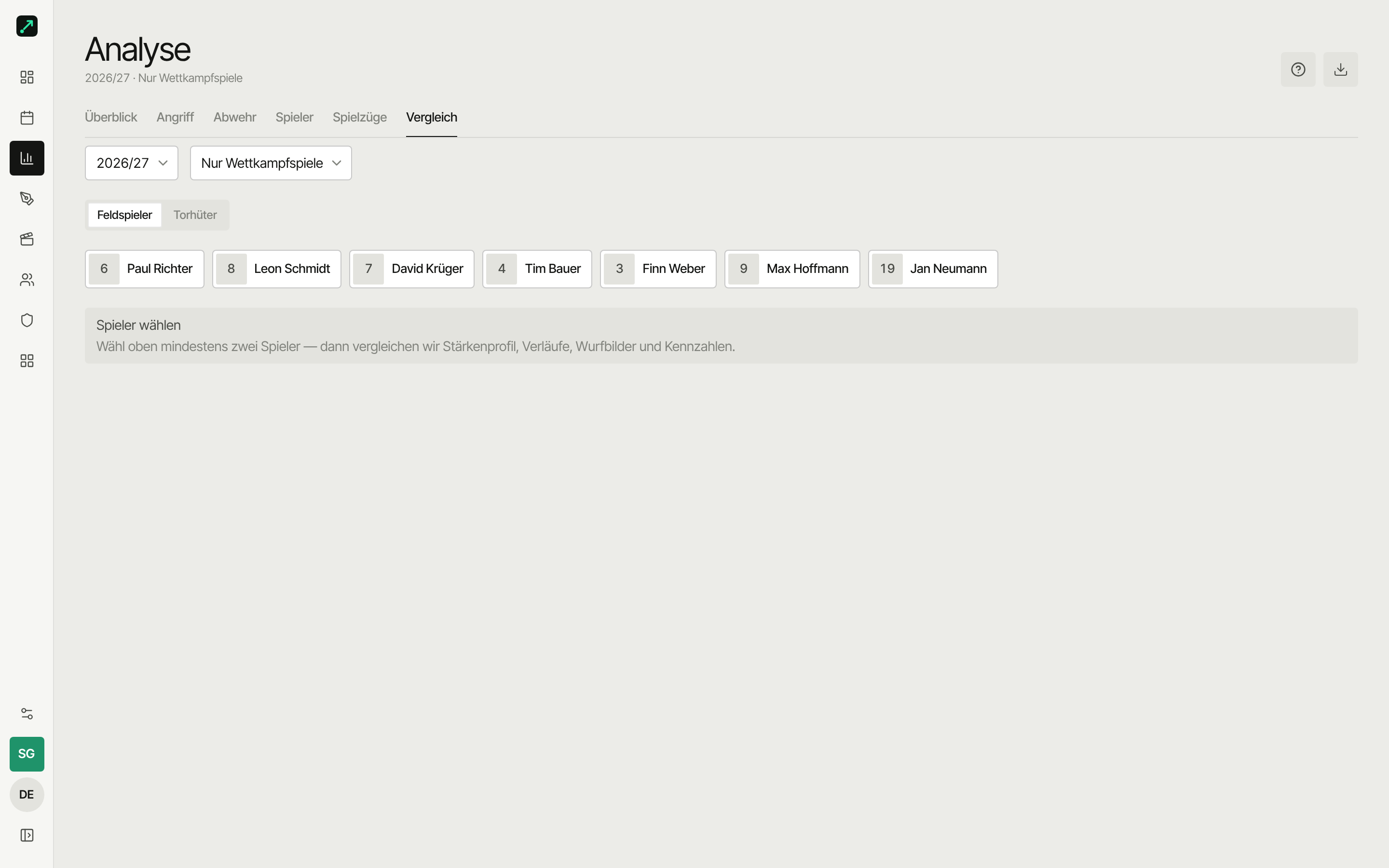
Where do I find it?
It lives in two places — the flow is identical, only the time range differs:
| Comparison | Where | Time range |
|---|---|---|
| Match comparison | Open a match → Compare tab | that match only |
| Season comparison | Analysis → Compare tab | chosen season (or all-time) |
How it works
- Field players or goalkeepers — the switch at the top picks the comparison mode. Field players show the strength profile, goalkeepers the goalkeeper comparison.
- Pick players — below it, tap the chips. Up to six players at once, each gets its own colour. The selection stays when you switch modes.
- From two players on, the comparison appears automatically.
- Change the selection — tap a chip again to remove that player.
Below two players, the app just shows a hint to pick at least two above.
What you see then
Strength profile (radar)
Five axes — attack, shot rate, defense, impact, stability — as a shape per player. Values are relative (0–100), normalised to the strongest of the chosen players: the radar shows who's ahead in what, not absolute numbers.
Trends (season only)
- Goals per match — one line per player across the season.
- Shot rate per match — the same view for efficiency.
So you see form and development, not just an average.
Shot charts
Two areas per player: from where (court) and to where (goal). Switchable between points, heatmap and zones. In the season view you can also switch between cumulative and a single match.
Metrics table
All values as a table, players in columns. The best value per row is highlighted. Compared:
| Metric | Meaning |
|---|---|
| Goals | goals scored |
| Shots | shot attempts |
| Shot rate | goals per attempt |
| Assists | direct assists |
| Defensive actions | blocks, turnovers won and similar |
| Turnovers | technical errors, bad passes |
| Stability | share of positive actions |
| Impact | overall effect (weighted) |
| Impact/min | effect per minute played |
| Playing time | minutes on court |
Playing time and impact/min need lineups from tracking. Across a season, playing time is the sum over all matches with lineups, and impact/min only counts those matches.
The formulas behind these live in the metrics glossary.
Goalkeeper comparison
For goalkeepers the comparison deliberately shows a table instead of a radar — fewer goals conceded is better, which doesn't map well onto a shape diagram.
- Goalkeeper comparison — table with save rate, saves, goals conceded, wide and 7m saved, best value per row highlighted.
- Shot outcome — per goalkeeper, in three tiers: wide, saved, goal.
- Goal patterns (expandable) — saved/goal by goal zone, one pattern per goalkeeper.
Pick at least two goalkeepers, otherwise you just get the hint for it. A goalkeeper missing from the list: set their roster position to goalkeeper.
Who can compare what?
Coaches see and compare the whole roster. Players see their own numbers.
Match or season?
- Judge one game → match comparison. Reacts to the day's form.
- Judge across several games → season comparison. More robust, with trends.