Match analysis
Break down a single match — overview, shots, lineup.
While season analysis rolls everything up, match analysis shows one match in detail.
Where do I find it?
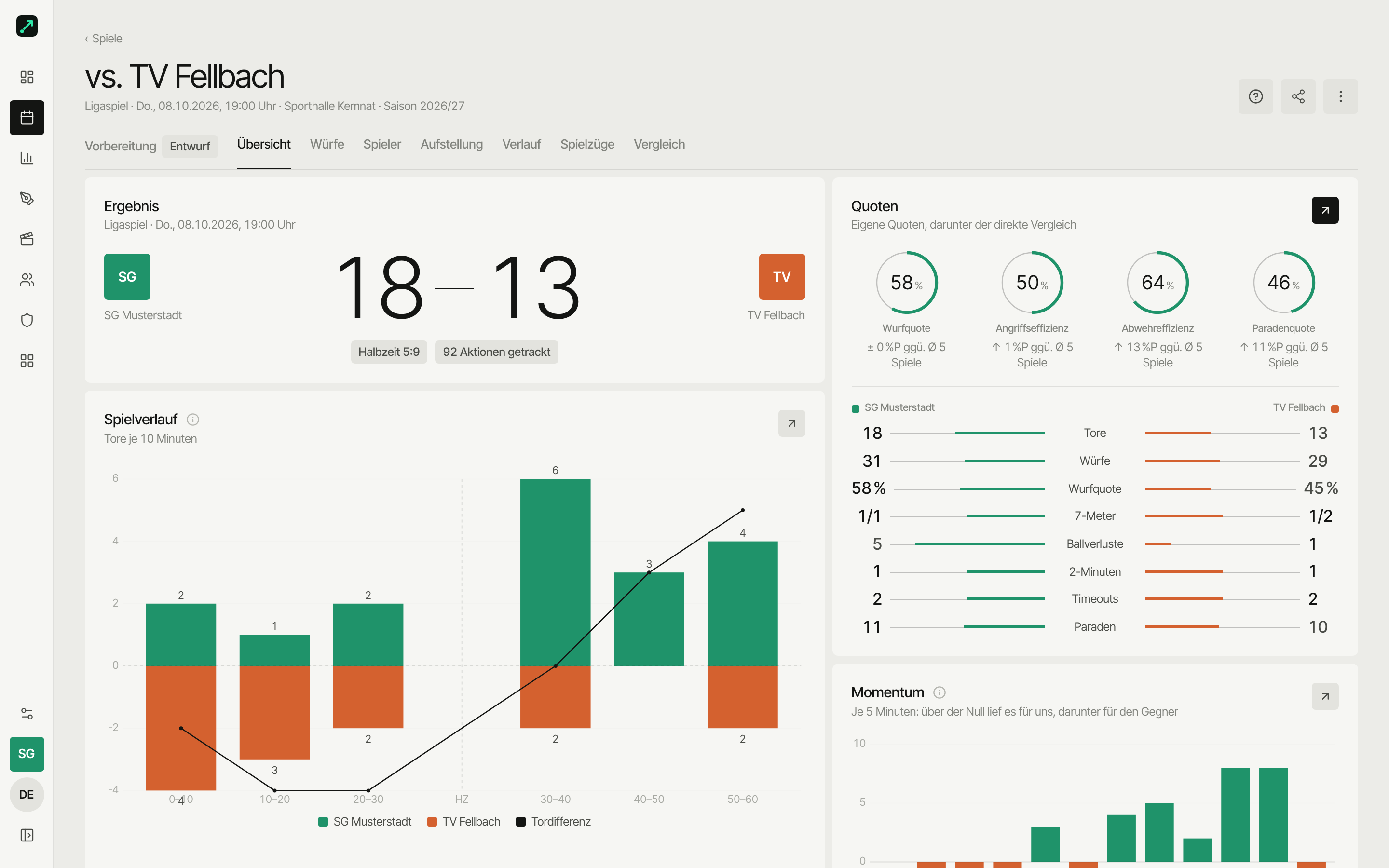
Matches → open a match. At the top you see the opponent, result and type, plus the badge Video available when a video is linked. Below that, one tab bar with Preparation (before the match) and the stats views. As long as a match has no actions, there are only Preparation and Overview — which says "Stats show up once there are events".
The tabs
One single tab bar runs through the match:
| Tab | Content |
|---|---|
| Preparation | Matchday roster, videos, scenes, plays, shooter profiles — see Preparation |
| Overview | Score, rates, match flow, goal pattern, top players, errors, timeouts, special phases |
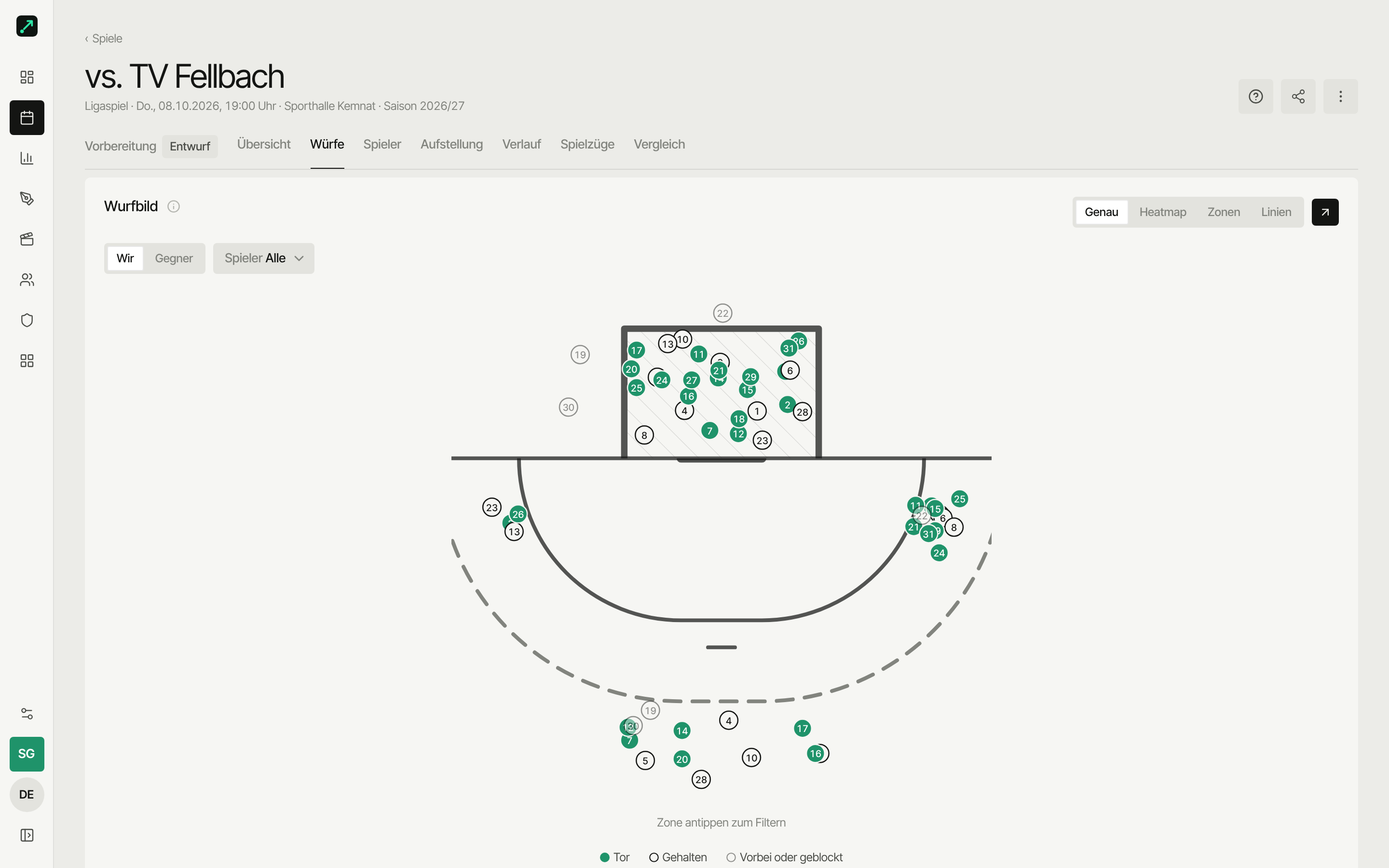
| Shots | Court and goal heatmap, position breakdown |
| Players | Player impact table, assist combinations |
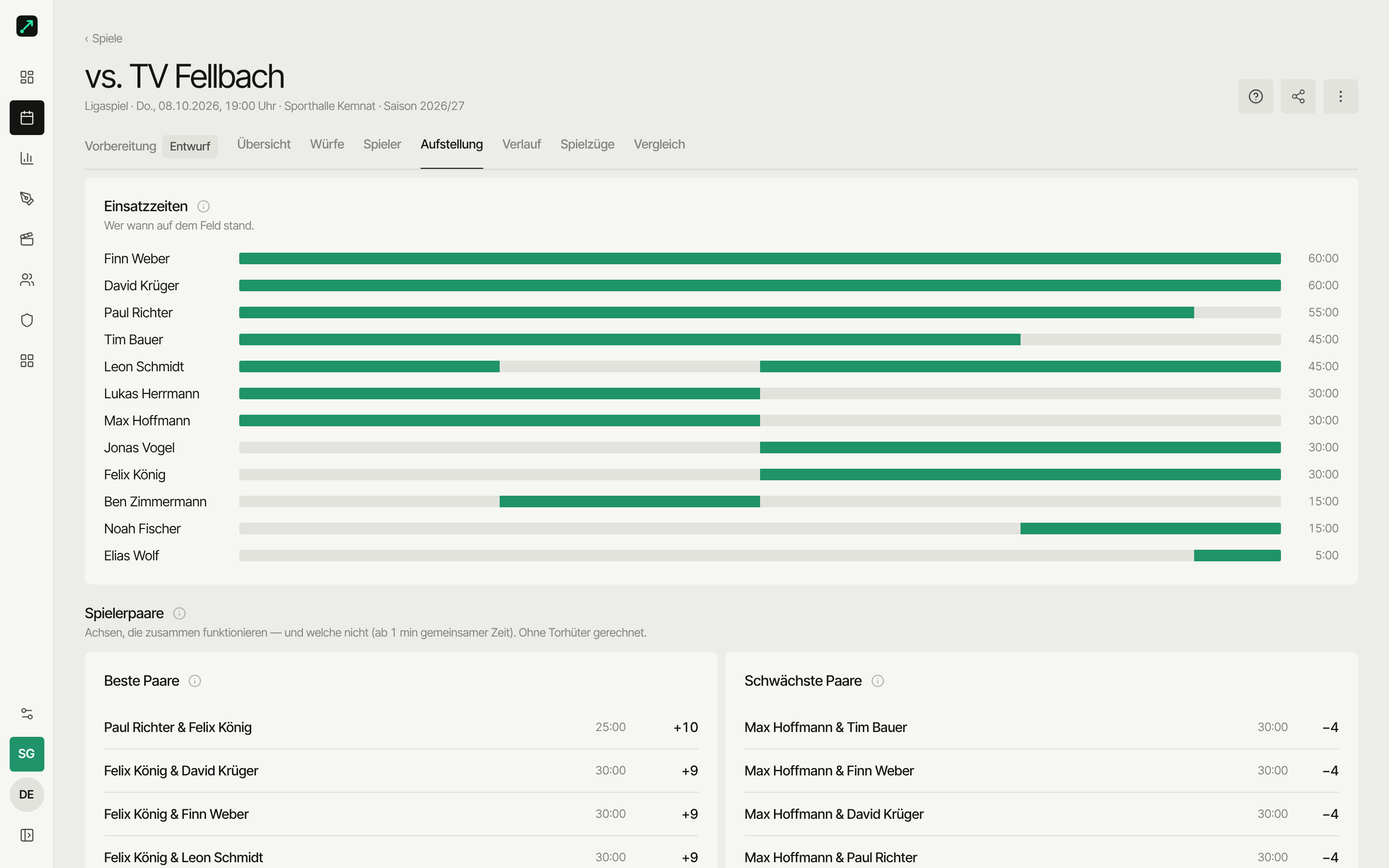
| Lineup | Constellations, player pairs, substitutions, playing time |
| Timeline | Chronicle of all tracked events — as a list or timeline |
| Plays | Fast breaks per wave, play effectiveness |
| Compare | Line up players from this match side by side |
There's no separate "Analysis" or "Video" tab: the video card on the overview opens Watch, and an event in the timeline jumps straight to its spot in the video. You cut scenes in the video studio.
Overview
The analyst's grid for this match, top to bottom:
- Score — the big scoreline, plus the halftime score and the number of tracked actions as chips.
- Match flow — goals per 10 minutes as a combo chart; calculated exactly from the goal events (correct even after later corrections).
- Momentum — one bar per 5 minutes: above zero it went your way, below it the opponent's.
- Rates — rings for shot rate, attack efficiency, defense efficiency and save rate, each with a trend "vs. avg of last 5 matches" and, expanded, a direct comparison against the last 5 and the whole season.
- Goal pattern — shot chart switchable between your own and the opponent's shots; click a shot to open the event detail.
- Top players — the best eight by goals; "All players" leads to the Players tab.
- Time segments compared — halves, quarters, or 5-minute blocks side by side.
- Errors — turnovers and missed shots, yours against the opponent's, plus who makes them and when.
- Timeouts — the effect of each team timeout: goals before/after, stopped runs, swing.
- Power play / short-handed — record per strength window (6v5, 6v4 …) plus distance (shot efficiency close/medium/far) and a weak-point analysis when short-handed: from where/to where you concede, who makes the errors.
Tapping an event opens a detail sheet with "Watch in video" (once a video is linked). You cut scenes for the preparation in the video studio.
Shots
Two surfaces: court (where you jumped or shot from) and goal (where it landed). Four modes: exact, heatmap, zones and lines (goal plus court in one graphic, a dashed line from the release point to the target). Tap a zone to filter (chip to clear); expanded, filters for player, half, shot type and outcome are added. Recorded opponent shots show up as the defense's goal pattern, automatically from the goalkeeper's perspective (rate counts only shots on goal).
Below that, the position breakdown: per position, shots, goals, shot rate, turnovers and defensive actions — shows which position worked in this match.
Fix: missed shots no longer count as saves — goalkeeper save rates may have changed compared to older matches.
Plays
- Fast breaks — goals and rate per wave (1st, 2nd, 3rd) with follow-up actions.
- Play effectiveness — which play led to a goal, with the most frequent follow-ups.
Timeline
The full chronicle — every tracked action with time, player and outcome. Switchable between list (with filters and drilldown) and timeline (the match ribbon from tracking). Good for double-checking or correcting. Tapping an event opens the detail sheet with "Watch in video".
Players
- Player impact — table with goals, rate, assists, defense, errors and error rate, impact, and playing time (from this match's substitution snapshots).
- Assist combinations — who set up whom.
Lineup
This uses the substitution snapshots (who was on the court, and when):
- Lineup effectiveness — goal difference per court constellation, normalized to 60 minutes.
- Player pairs — which axes work together (and which don't).
- Substitution effect — how substitutions in and out affected the result.
- Playing time — who played how long, as a timeline.
Lineup, playing time and impact/min need well-kept substitutions. More on that under Match clock & lineup.
Compare
Like in the season tab, but scoped to this one match. Guide: Compare players.
Sharing & export
For tracked matches, the page header has the export menu (CSV, PDF report, story), the share button, and — for linked matches — "Reconciliation" with the handball.net match report in the ⋯ menu. For CSV, PDF, story and the public link, see Sharing & export.