Schedule import
Take schedule and results from public sources like handball.net or Handball4All, one click at a time.
SportsFlow takes over schedule, results and half-time scores from public sources like handball.net or Handball4All — depending on the source, also ticker events and matchday roster. One click, whenever you want it. You keep tracking yourself; the import only fills in what you're missing.
Not an official partner
SportsFlow is not an official partner of handball.net or Handball4All. The import only takes data you can see publicly yourself, and only runs when you trigger it.
Two sources
Since the handball.net relaunch (August 2026), federations are moving over to the new platform one by one. Until then there are two sources, and SportsFlow searches both at once:
| Source | Who | What comes in |
|---|---|---|
| handball.net | Federations already on the new handball.net | Schedule, results, half-time, ticker events, lineup |
| Handball4All | Federations still running on Handball4All (e.g. Baden-Württemberg) | Schedule, results, half-time, venue — no ticker events or lineups |
Which source a match came from shows as a badge in the club search. With Handball4All you pick your club's league class instead of a team (e.g. "Men's Landesliga Group 6"); SportsFlow recognises your team within it — if the club has several teams in the same class, it asks.
Set everything up automatically
The fastest way — during onboarding, or later under Settings → Import → Set everything up automatically:
- Search for your club (name is enough)
- Pick team or league class, and the match rounds
- SportsFlow creates season, schedule and results — for finished matches including the final score and half-time, and for handball.net sources also ticker events and lineup
If you already created a match manually for the same day (wrong time, different opponent name — happens), it gets taken over instead of duplicated: the date gets corrected, data gets added.
Link and keep the season current
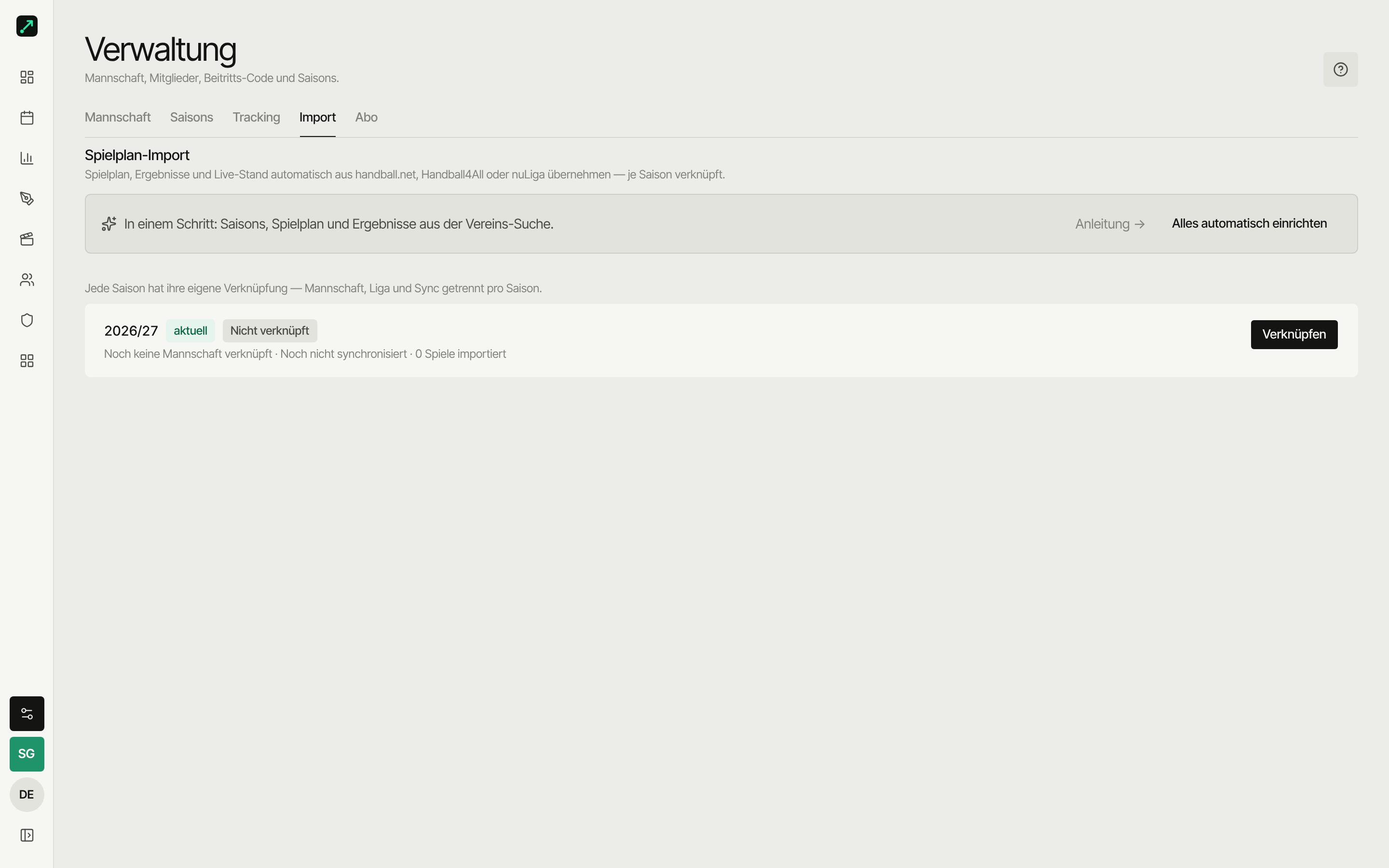
Settings → Import, per season: Connect sets up the link, Sync pulls new data, Disconnect removes it again — imported matches stay intact.
| Setting | Meaning |
|---|---|
| Team | Your team on handball.net, or your league class on Handball4All |
| Match round | League/round of the season (switchable) |
| Import active | Turns the import on or off for this team — new data shows up in the schedule preview, and you take it over with one click |
The schedule preview lets you import new matches or pull in results selectively. Cancelled matches and forfeits are flagged.
Old connection?
Connections from before the handball.net relaunch no longer have a source. Settings then shows "Reconnect" — search for the club again once, already-imported matches stay intact.
What gets imported
- Schedule: opponent, date, venue, home/away
- Results: official final and half-time scores — finished matches show half-time at 30:00 and full-time at 60:00
- Ticker events (handball.net only): goals, 7m throws, 2-minute suspensions, timeouts
- Lineup → matchday roster (handball.net only): players get created or matched to your roster on import; anonymised players are named "No. 7"
Your own tracking wins
The import never overwrites what you tracked yourself. It only fills in matches you didn't track (or didn't track completely).
Reconcile a single match
For linked matches, ⋯ → Reconciliation in the page header opens the match report reconciliation: the official result next to your tracked data. Categories you didn't track yourself (e.g. opponent goals, timeouts) you take over with one click — your manual data stays untouched. With Handball4All sources only the final score and half-time can be taken over.
Duplicate player? Merge them.
If the source spells a name differently than you did ("M. Smith" instead of "Max Smith"), a player can end up twice on the roster. The fix: merge players — events, roster entries and video scenes (including Involved) move to the right player, and SportsFlow remembers the match so the duplicate won't come back on the next import.