Player profile
One player across the season — metrics with team percentile, trends and shot chart.
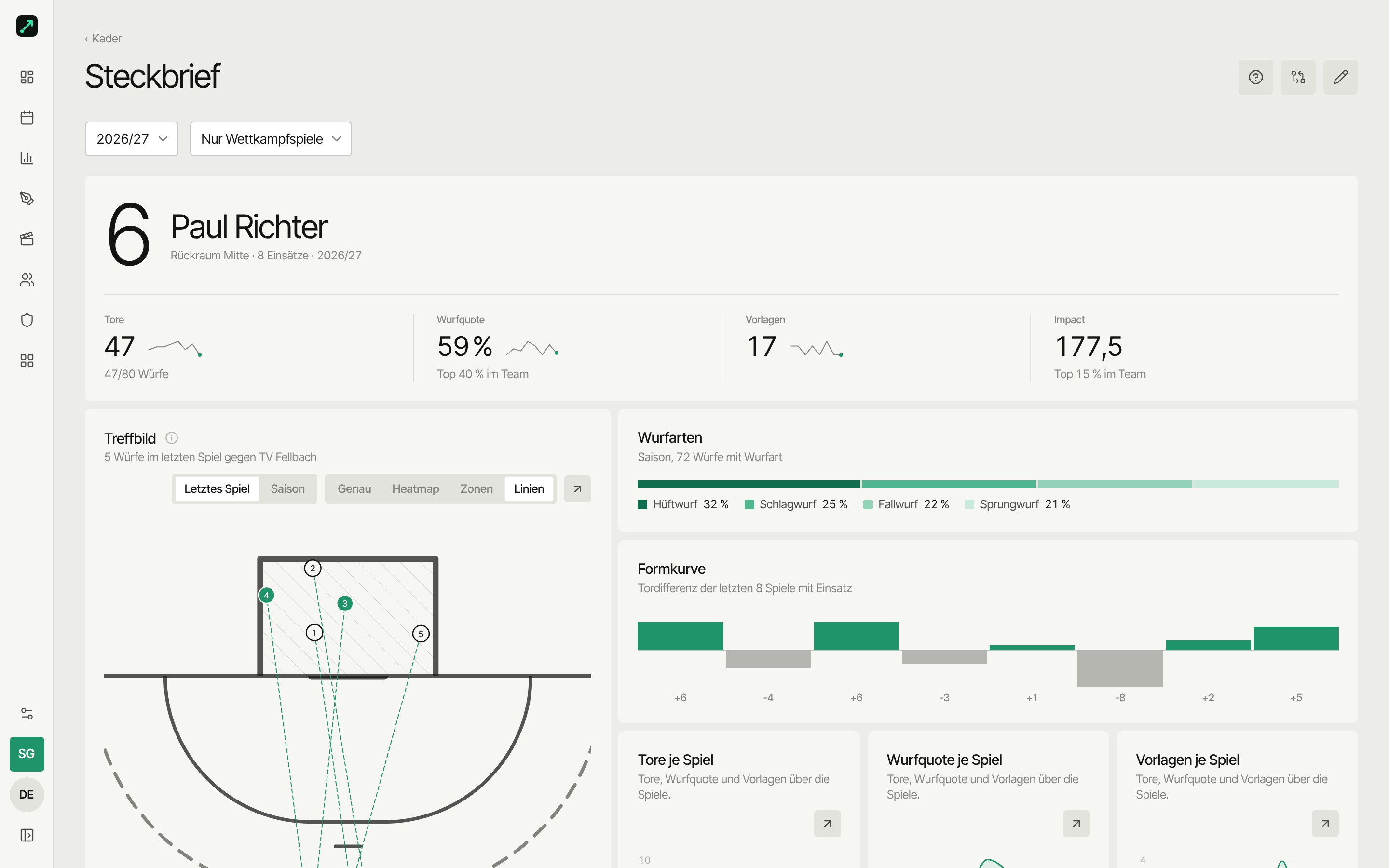
The player profile shows one player across the season: metrics ranked within the team, development per match, and their shot map. Goalkeepers get their own variant.
Where do I find it?
| Entry point | Path |
|---|---|
| Roster | Roster → tap a player's name |
| Home | Your season widget → To profile (for players with a linked account) |
Archived players keep their profile too — the history stays available.
Filter
At the top you pick season (or "all seasons") and match type — same as in the season analysis. Default: the current season; friendlies count until the first competitive match has been played, then competitive matches only. You can pick "competitive + friendlies" or "all (incl. training)" any time.
Profile
Header panel with jersey number, name and a row of tiles:
- Goals, shot rate, assists, impact, appearances (goalkeepers: save rate, saves, goals conceded, 7m saved).
- Shot rate and impact come with the team percentile ("top 20% on the team") — compared to the roster's field players.
Shot types
Bars with the player's shot types across the season (jump, pivot, 7m …). If too few shots have a recorded type, this block shows the shot outcome of the same shots instead (goal/saved/missed/blocked).
Shot map
The shot map (court + goal) with a preset player filter — from where and to where this player shoots. Switchable between last match and season.
Form
Goal difference of recent matches with playing time, as a bar row.
Development per match
Trend lines across matches: goals, shot rate, and assists (goalkeepers: save rate and saves) — each with a rolling trend over three matches.
Match list
At the end of the page: every match with involvement, newest first — with result, opponent and this player's numbers from that match.
Compare
In the page header, the Compare button jumps straight into the season comparison with this player preselected. Field players only — compare goalkeepers directly via the Compare tab.
Goalkeeper variant
If the player is a goalkeeper, the profile shows saves instead of goals:
- Save rate (with rank among your goalkeepers), saves, goals conceded, 7m saved, appearances.
- Shot outcome — every shot against them, in three tiers: missed, saved, goal.
- Form and development per match — save rate and saves across appearances.
- Opponent goal pattern — where the opponent shoots and scores against this goalkeeper, switchable last match/season. The Zones view shows saved/goal by zone.
- Below that, two extra panels: save rate by shot type and last 15 shots (chronological, tap to open the action). Both are on the web and in the app.
- The match list shows saves, goals conceded and rate instead of goals.
The profile fills up from tracked matches. Without recorded actions (or shots against the goalkeeper) it stays empty — and season analysis comes with the Team tier.
Next
- Compare players — up to six side by side
- Metrics glossary — what impact and co. mean